could you share some details on that?CF has a number of layers of protection that will render things like Powerliks/PowerSniff (discussed in your references) harmless.
could you share some details on that?CF has a number of layers of protection that will render things like Powerliks/PowerSniff (discussed in your references) harmless.

@cruelsister just for clarity sake , Comodo HIPS, from what i recall , doesn't monitor the sandbox, so no alerts obviously.
Why does Comodo HIPS not working or not show alerts when apps is sandboxed? - Defense+ / Sandbox Help - CIS
Impossible to stop blocking program in sandbox mode? - Defense+ / Sandbox Help - CIS
Any possible workaround so Comodo FW can be run alongside windows defender under Creators update?.

comodo fw runs alongside win defender by default
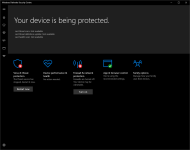
That is not supposed to happen. Did you install the latest build of Comodo 10, i.e., the version that is currently provided through the online installer?If I install Comodo FW the "windows defender security center" tray icon vanishes and I can't open it unless I unistall Comodo FW.
Windows Defender will still run in the background and will monitor and block and notify about threats detected, but I can't reach the GUI and can't use it's settings so it is annoying.
Maybe they can troubleshoot the issue for you on the Comodo forum. It's an unusual one.@shmu26 Yes it was the latest build of Comodo 10 from official website. However, I ended up disabling Windows Defender and sticking to CIS 10 instead.
I second that.you would be better off running Avast free,
even without Avast behavior shield or any other optional components,
rather than the AV component of Comodo.


Maybe they can troubleshoot the issue for you on the Comodo forum. It's an unusual one.
This is none of my business, but you would be better off running Avast free, even without Avast behavior shield or any other optional components, rather than the AV component of Comodo.
The AV in CIS is mostly for malware cleaning, the cloud obviously doesn't.I installed it to see if had improved "The AV module" but found it is pretty useless compared to a proper auto-container module. I have switched back to Comodo FW Proactive profile. I don't think installing any av alongside Comdoo FW would be worth, what do you think.

Second- on Windows 10 DO NOT disable Windows Firewall. This may cause issues and CF and WF co-exist exquisitely together.
Well, you need Windows Firewall running in order to use Windows Update.