Question Comodo Firewall rules for Edge?

Please provide comments and solutions that are helpful to the author of this topic.

ErzCrz

Level 25
Thread author
Verified
Top Poster
Well-known
Forum Veteran
Aug 19, 2019
1,431
7,609
2,369
Leeds, England UK
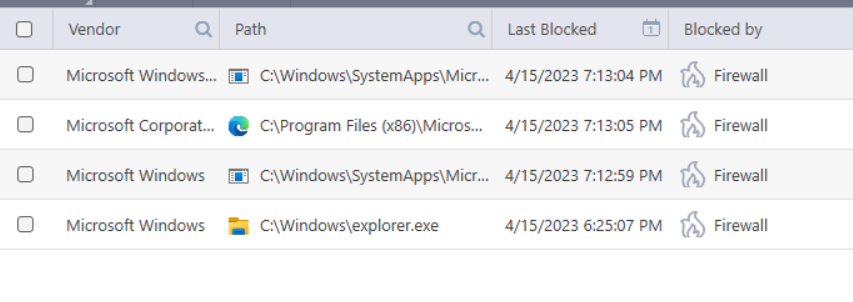
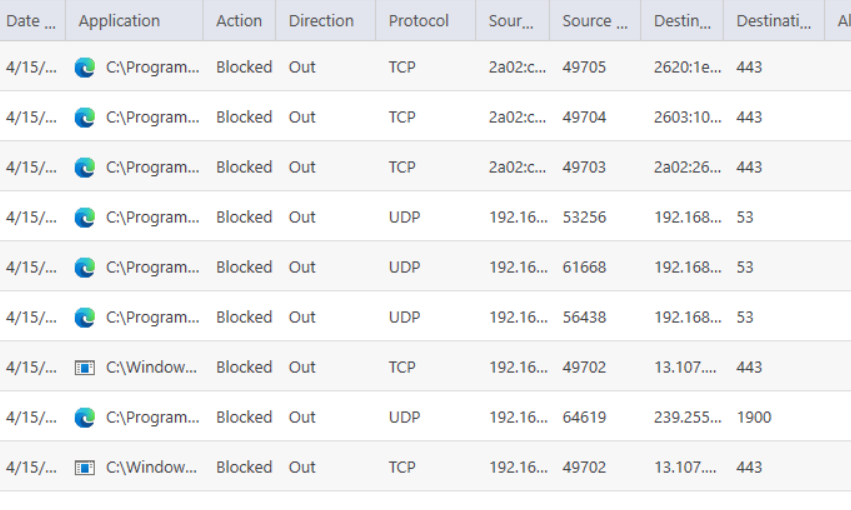
Quick kind of related question with regards to firewall rules. I get a prompt to allow svchost In from my router to port 443 which I allow that creates a allow IP in rule in CF. I also get a ton of Port 443 & Port 1900 alerts from Edge and not sure whether I should just ignore these or create a rule?

I thought that might be because Proactive config FW preset is Alert Incoming rather than block incoming as default. Hide PC Ports Using Stealth Ports Wizard | Internet Security Help I experimented with stealthing ports to block incoming which seemed to work initially but not the case in the end.

Question is, do I just ignore these or create rules for Edge?
1681586446083.png
1681586476149.png
 
Edge is attempting outbound connection on TCP port 443, IPv6.

I don't use Edge, but Firefox, Librewolf and Chrome are all routinely connecting to TCP 443, IPv6. when I randomly open several of my bookmarked sites.I have outbound allowed in UFW (Linux firewall) for port 443, IPv4 and IPv6, and port 80, IPv6 only. Also a couple of IPv4 rules to specific remote IP's for port 80 due to OS update server requirements.

These are the rules I have for my web browsers without breaking sites:

Code:
443/tcp                    ALLOW OUT   Anywhere
130.61.0.0/16 80/tcp       ALLOW OUT   Anywhere    <===for Linux update server            
70.40.0.0/16 80/tcp        ALLOW OUT   Anywhere     <===for Linux update server
443/udp                    ALLOW OUT   Anywhere  
8080/tcp (v6)              ALLOW OUT   Anywhere (v6)           
82 (v6)                    ALLOW OUT   Anywhere (v6)           
80/tcp (v6)                ALLOW OUT   Anywhere (v6)           
443/tcp (v6)               ALLOW OUT   Anywhere (v6)           
443/udp (v6)               ALLOW OUT   Anywhere (v6)
 
Last edited:
Edge is attempting outbound connection on TCP port 443, IPv6.

I don't use Edge, but Firefox, Librewolf and Chrome are all routinely connecting to TCP & UDP 443, IPv6. when I randomly open several of my bookmarked sites.I have outbound allowed in UFW (Linux firewall) for port 443, IPv4 and IPv6, and port 80, IPv6 only. Also a couple of IPv4 rules to specific remote IP's for port 80 due to OS update server requirements.
Thanks. I'm trialling just adding a HTTPS and SSDP portset and creating a rule. Probably the simplest options.